Run on Mesh
A hospital group often has data in several places that cannot be centralized. Run on Mesh lets you build one workflow and execute different parts of it at different sites. Data passes between sites through Connect.
How it works
Each node in a workflow can carry a placement: the site where it runs. When you start a mesh run, the coordinator splits the workflow into segments, one group of nodes per placement, and each segment runs on the workflow engine at that site (a spoke). A segment's output travels to the next segment as a hop through Connect.

- The coordinator is a role of the same workflow engine server (
HYDRA_ROLE=coordinator, or the-coordinatorflag). It compiles the plan, keeps a ledger of every run and segment in Postgres, and dispatches only the first (entry) segment. The spokes chain the rest. - Plans and envelopes carry Ed25519 signatures over canonical JSON. Signature verification defaults to enforcing.
- Status events sent back to the coordinator are PHI-free by default: no per-node inputs or outputs, and errors are reduced to a closed set of codes.
- Data that leaves a data-holder site through the seam is pseudonymised, not anonymised. It can still be personal data under GDPR.
What the mesh supports
These capabilities are owner-confirmed available. See Capability status for the source and verification boundary, including older design records that remain unreconciled. Confirm the supported deployment with your administrator.
- Joins that combine data, including PHI, from multiple sites.
- Durable, exactly-once delivery between sites.
- Federated learning across sites.
Run a workflow on the mesh
- Open the workflow in Tiet · Studio → Workflows → Builder.
- Select a node and open the Runtime section of its inspector. In Runs on (placement), pick a site or type one. The field suggests the hub and every registered spoke. Leave it empty to run the node on the hydra-platform VM, outside the mesh.
- Repeat for the nodes that belong to other sites.
- Open the Run menu. Run on mesh (description "Distributed across sites") is now enabled. While no node has a placement it is disabled, with the hint "Set a node's Runs-on placement to enable".
- Choose Run on mesh. A dialog asks for inputs, then the workflow is saved and the run starts.
After the run starts the bottom panel opens a MESH tab. If you start from an empty panel it reads "No mesh run yet. Tag a node's placement and choose Run on mesh."

Read the MESH tab
The tab polls the coordinator every 2 seconds until the run ends. It shows the run status, run id and plan id, then the segments grouped by placement. Each segment row shows its id, the spoke (@spoke), a ×N badge when it has been attempted more than once, its status, and a failure code when it failed.
| Run status | Meaning |
|---|---|
pending, running | In progress |
done | All segments finished |
failed | A segment failed |
stalled | No progress before a deadline (the default schedule, execution and join timeouts are 15 minutes) |
revoked | The run's access policy was revoked and the kill switch stopped it at its next hop |
cancelled | Stopped by a user |
Segment statuses are pending, running, done, skipped, failed, dlq and cancelled. Per-node results appear under a segment only when the process is configured with HYDRA_MESH_STATUS_DETAIL=full. Data-holder sites never send them.
Using the Builder's stop control while a mesh run is active cancels it.
Where else to look
| Place | What you see |
|---|---|
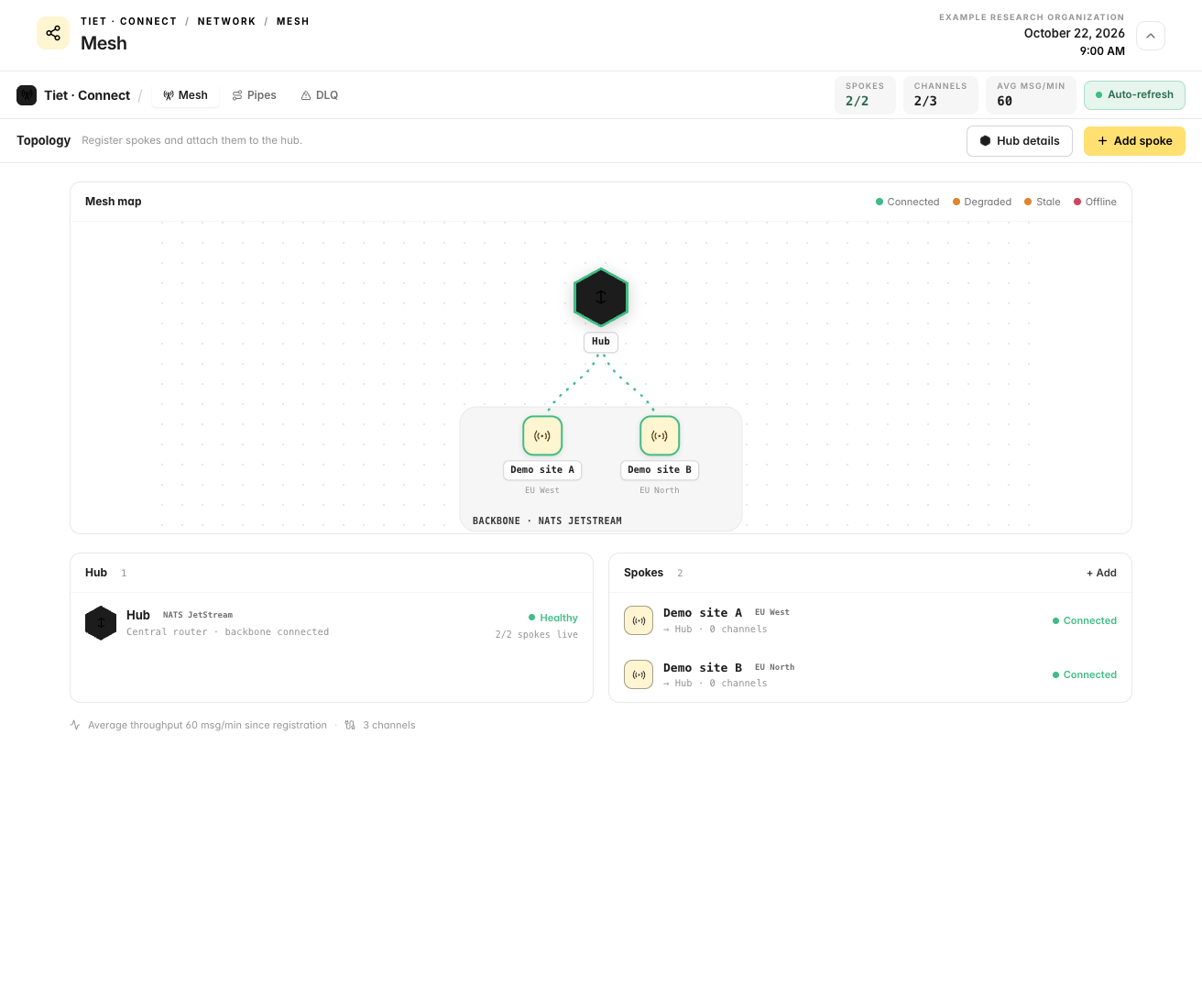
| Tiet · Connect → Network → Mesh | Sites, spokes and their health |
| Tiet · Studio → Workflows → Builder, bottom panel MESH tab | Per-segment status of the run you started |
Safety controls
| Control | Effect |
|---|---|
| Fail-closed authentication | Every /api/mesh route except /api/mesh/health needs a bearer token. An empty token configuration refuses everything. |
| Signed plans and envelopes | Tampering is detected. A mesh process without its trust store refuses to start. |
| Placement-scoped tokens | A site's token can fetch, report on and join only segments of its own placement. |
| Access-policy gate | A run that spans more than one placement needs a published, unrevoked, unexpired policy that matches the pipeline, the compiled plan hash and the placements. Otherwise the start is refused with SEAM_POLICY_MISSING, SEAM_POLICY_REVOKED, SEAM_POLICY_MISMATCH or SEAM_REGIME_MIXED. |
| Kill switch | Revoking a policy stops the runs it admitted (revoked). |
| PHI-free status events | Monitoring does not expose patient data. |
Limits
- Run on mesh is offered only for a saved workflow (one that has a pipeline id).
- Cancellation stops further work but does not undo side effects at a site.
Related
- Tiet · Connect: the transport between sites
- Environments & Promotion: moving workflows between instances
- Tiet · Studio Builder: building the workflow
Something unclear? Send documentation feedback by email.